Introduction
Eloquent is already a great database layer.
For many parts of a Laravel application, writing the query directly in the controller, action, job, command, or model is completely fine. You do not need an extra abstraction every time you call where(), with(), paginate(), update(), or delete().
But as the application grows, some queries stop being simple implementation details. They become part of how the business works.
You start seeing the same filters in different places. A dashboard query needs the same rules as an export. A report needs to count the same records that an API endpoint lists. A background job needs to process exactly the same set of models that an admin screen shows. Sometimes a scheduled command also needs to update or delete records using a very specific set of database rules.
At that point, the query deserves a name.
That is where the Eloquent Query Classes pattern can help.
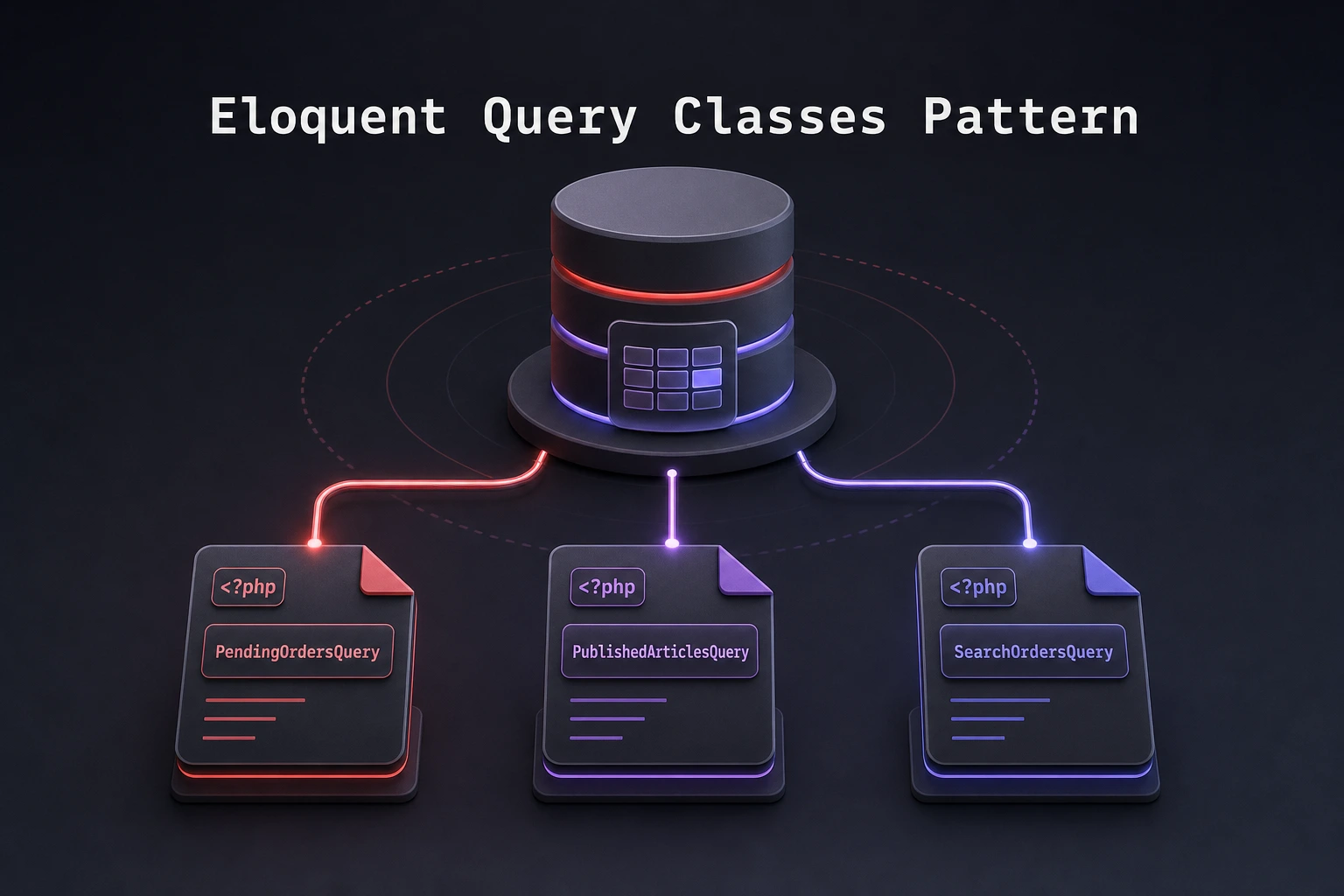
The idea is simple: create small classes responsible for building or executing important Eloquent queries. They do not replace Eloquent. They do not try to hide the database behind a generic repository. They just give complex or reusable queries a dedicated home.
In this article, let's understand what Eloquent Query Classes are, why they should behave like Action classes, when to use them, when not to use them, and how to test them in a practical Laravel application.
The Problem With Queries Everywhere
Let's start with a common example.
Imagine that we have an admin page that lists orders that still need attention from the operations team.
The query could start like this:
use App\Enums\OrderStatus;
use App\Models\Order;
use Illuminate\Http\Request;
use Illuminate\View\View;

final class PendingOrdersController
{
    public function __invoke(Request $request): View
    {
        $orders = Order::query()
            ->with(['customer', 'payment'])
            ->whereIn('status', [
                OrderStatus::Pending,
                OrderStatus::PaymentFailed,
            ])
            ->where('created_at', '<=', now()->subMinutes(15))
            ->when(
                $request->filled('merchant_id'),
                fn ($query) => $query->where('merchant_id', $request->integer('merchant_id')),
            )
            ->latest()
            ->paginate(50);

        return view('admin.orders.pending', [
            'orders' => $orders,
        ]);
    }
}
This is not terrible.
The query is readable, and Eloquent makes it easy to understand what is happening. But now imagine this same logic is also needed by:
- an export action
- a scheduled command
- a dashboard widget
- a notification job
- an API endpoint used by an internal tool
The usual options are:
- duplicate the query and hope the copies stay synchronized
- move everything into a local scope
- add a static method to the model
- create a repository
- create a dedicated query class
Each option can be correct depending on the situation, but the last one is the pattern we are exploring here.
The goal is not to create architecture for the sake of architecture. The goal is to avoid letting important database logic become scattered across the codebase.
What is an Eloquent Query Class?
An Eloquent Query Class is a small object that represents one named database query or one related database operation.
I like thinking about it as the Action class pattern applied to queries.
That means it should have one public entry point: handle().
The class may receive input through the handle() method, build or execute an Eloquent query, and return the result. The result can be a collection, paginator, model, aggregate value, number of affected rows, or even a Builder when the caller needs to compose the query further.
Something like this:
namespace App\Queries;

use App\Enums\OrderStatus;
use App\Models\Order;
use Illuminate\Contracts\Pagination\LengthAwarePaginator;

final readonly class PendingOrdersQuery
{
    public function handle(?int $merchantId = null, int $perPage = 50): LengthAwarePaginator
    {
        return Order::query()
            ->with(['customer', 'payment'])
            ->whereIn('status', [
                OrderStatus::Pending,
                OrderStatus::PaymentFailed,
            ])
            ->where('created_at', '<=', now()->subMinutes(15))
            ->when(
                $merchantId !== null,
                fn ($query) => $query->where('merchant_id', $merchantId),
            )
            ->latest()
            ->paginate($perPage);
    }
}
Now the controller becomes smaller:
use App\Queries\PendingOrdersQuery;
use Illuminate\Http\Request;
use Illuminate\View\View;

final class PendingOrdersController
{
    public function __invoke(Request $request): View
    {
        $orders = new PendingOrdersQuery()->handle(
            merchantId: $request->integer('merchant_id') ?: null,
        );

        return view('admin.orders.pending', [
            'orders' => $orders,
        ]);
    }
}
The controller still knows that it needs pending orders, but it no longer knows the full definition of what "pending orders that need attention" means.
That definition now has a name: PendingOrdersQuery.
This is the main benefit of the pattern. You are not hiding Eloquent. You are naming a business query, giving it one place to evolve, and keeping the same handle() convention that many Laravel teams already use for Action classes.
Query Classes Are Not Repositories
The Repository Pattern is a sensitive topic in the Laravel community.
Some teams love it. Some teams hate it. Most of the debate comes from using repositories as a generic wrapper around every model:
$this->orders->find($id);
$this->orders->create($data);
$this->orders->update($order, $data);
In many Laravel applications, this adds very little value because Eloquent already gives us a rich and expressive persistence API. Wrapping every Eloquent method just to say that we have a repository usually creates more work without improving the design.
Eloquent Query Classes are different.
They are not a generic CRUD abstraction. They are not pretending that the database does not exist. They are not trying to make it easy to swap MySQL for an external API later.
They are focused on one thing: centralizing important Eloquent queries.
If we compare the two ideas:
- a repository usually represents a data source or aggregate
- a query class represents a specific query or operation we run against the database
- a repository often tries to provide many generic methods
- a query class usually has one clear purpose
- a repository may hide Eloquent
- a query class can embrace Eloquent and still keep the caller clean
That difference matters.
The query class is not there because Eloquent is bad. It is there because some queries are important enough to be named and tested independently.
Why Not Just Use Local Scopes?
Laravel local scopes are great.
For reusable constraints that naturally belong to a model, they are usually the first tool I reach for.
For example:
namespace App\Models;

use App\Enums\OrderStatus;
use Illuminate\Database\Eloquent\Attributes\Scope;
use Illuminate\Database\Eloquent\Builder;
use Illuminate\Database\Eloquent\Model;

final class Order extends Model
{
    #[Scope]
    protected function needingAttention(Builder $query): void
    {
        $query
            ->whereIn('status', [
                OrderStatus::Pending,
                OrderStatus::PaymentFailed,
            ])
            ->where('created_at', '<=', now()->subMinutes(15));
    }
}
Then you can use it like this:
$orders = Order::query()
    ->needingAttention()
    ->latest()
    ->paginate(50);
This is clean, and in many cases it is enough.
The problem starts when the query use case becomes more than a simple reusable constraint.
For example, a query class may be a better fit when the query:
- coordinates multiple scopes
- applies several optional filters
- controls eager loading for a specific screen
- returns aggregates or computed columns
- has pagination, ordering, and search rules
- is used by more than one entry point
- needs dedicated tests because a wrong result would be expensive
- performs a write operation with important conditions
Scopes are excellent for small reusable pieces. Query classes are excellent for named database use cases.
They can also work together.
final readonly class PendingOrdersQuery
{
    public function handle(?int $merchantId = null): Builder
    {
        return Order::query()
            ->with(['customer', 'payment'])
            ->needingAttention()
            ->when(
                $merchantId !== null,
                fn (Builder $query) => $query->where('merchant_id', $merchantId),
            )
            ->latest();
    }
}
With this, the model still owns the reusable domain constraint, and the query class owns the database use case.
That is a nice balance.
A Practical Structure
There is no official Laravel folder for this pattern, so I usually keep it simple.
For small applications, a top-level app/Queries directory is enough:
app/
  Queries/
    PendingOrdersQuery.php
    RecentPublishedArticlesQuery.php
    CustomersAtRiskQuery.php
For larger applications organized by domain, I prefer keeping the query close to the domain it belongs to:
app/
  Domain/
    Orders/
      Queries/
        PendingOrdersQuery.php
        OrdersReadyForShipmentQuery.php
    Articles/
      Queries/
        PublishedArticlesQuery.php
The important thing is consistency.
If your team knows that important database operations live in Queries, finding and changing them becomes easy. That was the same idea behind the "data layer" approach in my enterprise applications: keep database communication predictable so developers do not need to hunt across controllers, jobs, commands, and views to understand how data is being fetched or changed.
Let's check a slightly more realistic query class.
namespace App\Domain\Orders\Queries;

use App\Enums\OrderStatus;
use App\Models\Order;
use Carbon\CarbonImmutable;
use Illuminate\Database\Eloquent\Builder;

final readonly class SearchOrdersQuery
{
    public function handle(
        ?int $merchantId = null,
        ?OrderStatus $status = null,
        ?CarbonImmutable $from = null,
        ?CarbonImmutable $to = null,
        ?string $search = null,
    ): Builder
    {
        return Order::query()
            ->with(['customer', 'merchant'])
            ->when(
                $merchantId !== null,
                fn (Builder $query) => $query->where('merchant_id', $merchantId),
            )
            ->when(
                $status !== null,
                fn (Builder $query) => $query->where('status', $status),
            )
            ->when(
                $from !== null,
                fn (Builder $query) => $query->where('created_at', '>=', $from),
            )
            ->when(
                $to !== null,
                fn (Builder $query) => $query->where('created_at', '<=', $to),
            )
            ->when($search !== null, function (Builder $query) use ($search): void {
                $query->where(function (Builder $query) use ($search): void {
                    $query
                        ->where('number', 'like', "%{$search}%")
                        ->orWhereHas('customer', function (Builder $query) use ($search): void {
                            $query->where('email', 'like', "%{$search}%");
                        });
                });
            })
            ->latest();
    }
}
Now the controller only maps HTTP input into the query object:
use App\Domain\Orders\Queries\SearchOrdersQuery;
use App\Enums\OrderStatus;
use Illuminate\Http\Request;
use Illuminate\View\View;

final class OrderIndexController
{
    public function __invoke(Request $request): View
    {
        $orders = new SearchOrdersQuery()->handle(
            merchantId: $request->integer('merchant_id') ?: null,
            status: $request->enum('status', OrderStatus::class),
            from: $request->date('from')?->toImmutable(),
            to: $request->date('to')?->toImmutable(),
            search: $request->string('search')->trim()->toString() ?: null,
        )->paginate(25);

        return view('admin.orders.index', [
            'orders' => $orders,
        ]);
    }
}
The controller still does controller work. It reads request input, decides that this screen needs pagination, and returns a response. The query class does query work. It defines how orders are searched.
That separation is small, but it makes the feature easier to maintain.
Returning Builders From Handle
One design decision you will make is whether handle() should execute the query or return a builder.
The rule I like is simple: the only public method is still handle().
If the query always has one expected result type, execute it inside handle().
final readonly class CountUnpaidInvoicesQuery
{
    public function handle(int $customerId): int
    {
        return Invoice::query()
            ->where('customer_id', $customerId)
            ->whereNull('paid_at')
            ->count();
    }
}
If the same query needs to be reused by different callers that need different result types, return the Builder from handle().
final readonly class PublishedArticlesQuery
{
    public function handle(): Builder
    {
        return Article::query()
            ->where('published_at', '<=', now())
            ->whereNull('archived_at')
            ->latest('published_at');
    }
}
This keeps the query rules in one place while allowing each caller to decide how to consume the query.
For example, an API endpoint can paginate while a sitemap generator can call get():
$articles = new PublishedArticlesQuery()->handle()->paginate(12);

$urls = new PublishedArticlesQuery()->handle()->get();
Other query classes can also compose it:
final readonly class FeaturedPublishedArticlesQuery
{
    public function __construct(
        private PublishedArticlesQuery $publishedArticles,
    ) {}

    public function handle(): Builder
    {
        return $this->publishedArticles
            ->handle()
            ->where('is_featured', true);
    }
}
But be careful not to make the class too generic.
If a query class starts collecting many public methods, it is probably turning into the generic repository abstraction we wanted to avoid.
Good query classes are boring and focused.
Query Classes Can Write Too
Most examples for this pattern list records because those are the queries we usually duplicate across controllers, exports, dashboards, and jobs.
But a Query Class can also execute a write query when the important part is the database operation itself.
For example, imagine a scheduled command that marks abandoned orders as expired:
namespace App\Domain\Orders\Queries;

use App\Enums\OrderStatus;
use App\Models\Order;
use Carbon\CarbonImmutable;

final readonly class ExpireAbandonedOrdersQuery
{
    public function handle(CarbonImmutable $expiredBefore): int
    {
        return Order::query()
            ->where('status', OrderStatus::Pending)
            ->where('created_at', '<=', $expiredBefore)
            ->update([
                'status' => OrderStatus::Expired,
                'expired_at' => now(),
            ]);
    }
}
Then a command or action can call it without owning the database details:
use Illuminate\Console\Command;

final class ExpireAbandonedOrdersCommand extends Command
{
    public function handle(ExpireAbandonedOrdersQuery $query): void
    {
        $expiredOrders = $query->handle(
            expiredBefore: now()->subHours(2)->toImmutable(),
        );

        $this->info("Expired {$expiredOrders} abandoned orders.");
    }
}
This is still not a repository. We are not adding updateOrder() or deleteOrder() methods to a generic class. We are naming one important database operation and keeping it behind a single handle() method.
For writes, be more selective. If the write is part of a larger business workflow, it may belong inside an Action class. If the main value is the database query itself, a Query Class can be a good fit.
When to Use Query Classes
I like using Eloquent Query Classes when a database operation has business meaning.
For example:
PendingOrdersQueryCustomersEligibleForDiscountQueryPublishedArticlesQueryInvoicesReadyToBeChargedQueryProductsVisibleToMerchantQueryExpireAbandonedOrdersQuery
These names tell a story. They represent database operations that matter to the application.
Query classes are especially useful when:
- the same query appears in more than one place
- the query has many optional filters
- the query controls eager loading for performance
- the query is part of a report, dashboard, export, or background process
- the query must be tested as its own behavior
- the query would make a controller or action noisy
- the model is already getting too many scopes and static methods
- the write query has important conditions that should be named and tested
They also help with onboarding. When a new developer needs to understand how the admin order listing works, SearchOrdersQuery is much easier to find than a long chain hidden inside a controller method.
When Not to Use Query Classes
This pattern can be overused very easily.
You do not need a query class for every Eloquent call.
This is fine:
$article = Article::query()->findOrFail($id);
This is also fine:
$comments = $article->comments()
    ->latest()
    ->get();
Creating FindArticleByIdQuery or LatestArticleCommentsQuery for every simple read usually adds noise, not clarity.
The same is true for simple writes:
$article->update(['title' => $title]);
That does not need an UpdateArticleTitleQuery unless there is a real query rule worth naming.
Avoid query classes when:
- the query is used in only one place and is still simple
- a local scope would express the idea clearly
- the class name would only repeat the Eloquent method name
- the abstraction makes the query harder to understand
- the team does not have enough repeated query pain to justify the convention
Architecture should reduce friction. If a pattern makes simple work slower without making complex work safer, it is not helping.
Start with Eloquent directly. Extract a query class when the query earns it.
How to Test Query Classes
Testing query classes is straightforward because they have a clear responsibility: given some records, they should return the right records in the right order.
In Laravel, I usually test them with database tests and factories.
Let's say we have this query:
final readonly class PendingOrdersQuery
{
    public function handle(?int $merchantId = null): Collection
    {
        return Order::query()
            ->whereIn('status', [
                OrderStatus::Pending,
                OrderStatus::PaymentFailed,
            ])
            ->when(
                $merchantId !== null,
                fn (Builder $query) => $query->where('merchant_id', $merchantId),
            )
            ->oldest()
            ->get();
    }
}
A Pest test could look like this:
use App\Domain\Orders\Queries\PendingOrdersQuery;
use App\Enums\OrderStatus;
use App\Models\Merchant;
use App\Models\Order;
use Illuminate\Foundation\Testing\RefreshDatabase;

uses(RefreshDatabase::class);

it('returns only pending orders for the selected merchant', function (): void {
    $merchant = Merchant::factory()->create();
    $otherMerchant = Merchant::factory()->create();

    $pendingOrder = Order::factory()->create([
        'merchant_id' => $merchant->id,
        'status' => OrderStatus::Pending,
        'created_at' => now()->subDays(2),
    ]);

    $failedOrder = Order::factory()->create([
        'merchant_id' => $merchant->id,
        'status' => OrderStatus::PaymentFailed,
        'created_at' => now()->subDay(),
    ]);

    Order::factory()->create([
        'merchant_id' => $merchant->id,
        'status' => OrderStatus::Paid,
    ]);

    Order::factory()->create([
        'merchant_id' => $otherMerchant->id,
        'status' => OrderStatus::Pending,
    ]);

    $orders = new PendingOrdersQuery()->handle(
        merchantId: $merchant->id,
    );

    expect($orders)
        ->toHaveCount(2)
        ->sequence(
            fn ($order) => $order->is($pendingOrder)->toBeTrue(),
            fn ($order) => $order->is($failedOrder)->toBeTrue(),
        );
});
This test is valuable because it does not test Eloquent itself. Laravel already tests Eloquent.
It tests our query rules:
- pending and payment-failed orders are included
- paid orders are excluded
- orders from another merchant are excluded
- the ordering is correct
That is exactly what we care about.
For query classes with optional filters, I like writing one test for the default behavior and focused tests for each important filter.
it('filters orders by status', function (): void {
    $paidOrder = Order::factory()->create([
        'status' => OrderStatus::Paid,
    ]);

    Order::factory()->create([
        'status' => OrderStatus::Pending,
    ]);

    $orders = new SearchOrdersQuery()->handle(
        status: OrderStatus::Paid,
    )->get();

    expect($orders)
        ->toHaveCount(1)
        ->first()->is($paidOrder)->toBeTrue();
});
You do not need to test every possible combination of filters. Test the important behavior and the risky edges.
If the query is simple enough that testing it feels silly, that may be a sign that it did not need its own class yet.
A Few Practical Guidelines
Here are some guidelines that help me keep this pattern useful instead of noisy.
First, name query classes after business questions, not database operations.
Prefer this:
PendingOrdersQuery
ProductsVisibleToCustomerQuery
InvoicesReadyToBeChargedQuery
Instead of this:
GetOrdersQuery
OrderWhereStatusQuery
FetchProductsQuery
Second, be intentional with writes.
Query classes can write, but they should not become a dumping ground for business workflows. If the class is deciding business rules, coordinating side effects, dispatching jobs, and changing state, that is probably an Action. If it is naming one important database operation, a Query Class can work well.
Third, avoid generic base classes at the beginning.
You probably do not need an abstract Query class with many shared methods. Start with plain classes. Extract shared behavior only after you see real duplication.
Fourth, keep only one public method.
The public API should be handle(). If you need helpers to keep a large query readable, make them private. If you feel the need for many public methods, you probably have more than one query class hiding inside the same file.
Fifth, do not hide Eloquent just to hide Eloquent.
Returning a Builder from handle() is perfectly fine when the caller needs to keep composing the query. The pattern is about organization, not pretending you are not using Laravel.
Finally, watch the model.
If the model has a few expressive scopes, that is good. If it has dozens of large query methods, it may be time to move some database use cases into query classes.
Conclusion
The Eloquent Query Classes pattern is a small and practical way to organize important database logic in Laravel applications.
It does not replace Eloquent. It does not require a full repository layer. It simply gives complex or reusable queries a clear name and a dedicated place to live.
Use it when a query has business meaning, is reused across entry points, needs careful eager loading, performs an important write operation, or deserves focused tests. Avoid it when the query is simple and direct Eloquent code or a local scope is enough.
Like most architecture patterns, the value is not in adding more classes. The value is in making the codebase easier to understand, change, and trust over time.
If you want to apply this pattern with your coding agent, I also released an Eloquent Query Classes skill based on this article. You can find it here: WendellAdriel/eloquent-query-classes.
I hope that you liked this article and if you do, don't forget to share this article with your friends!!! See ya!